< Back to Cobra Radar Detectors
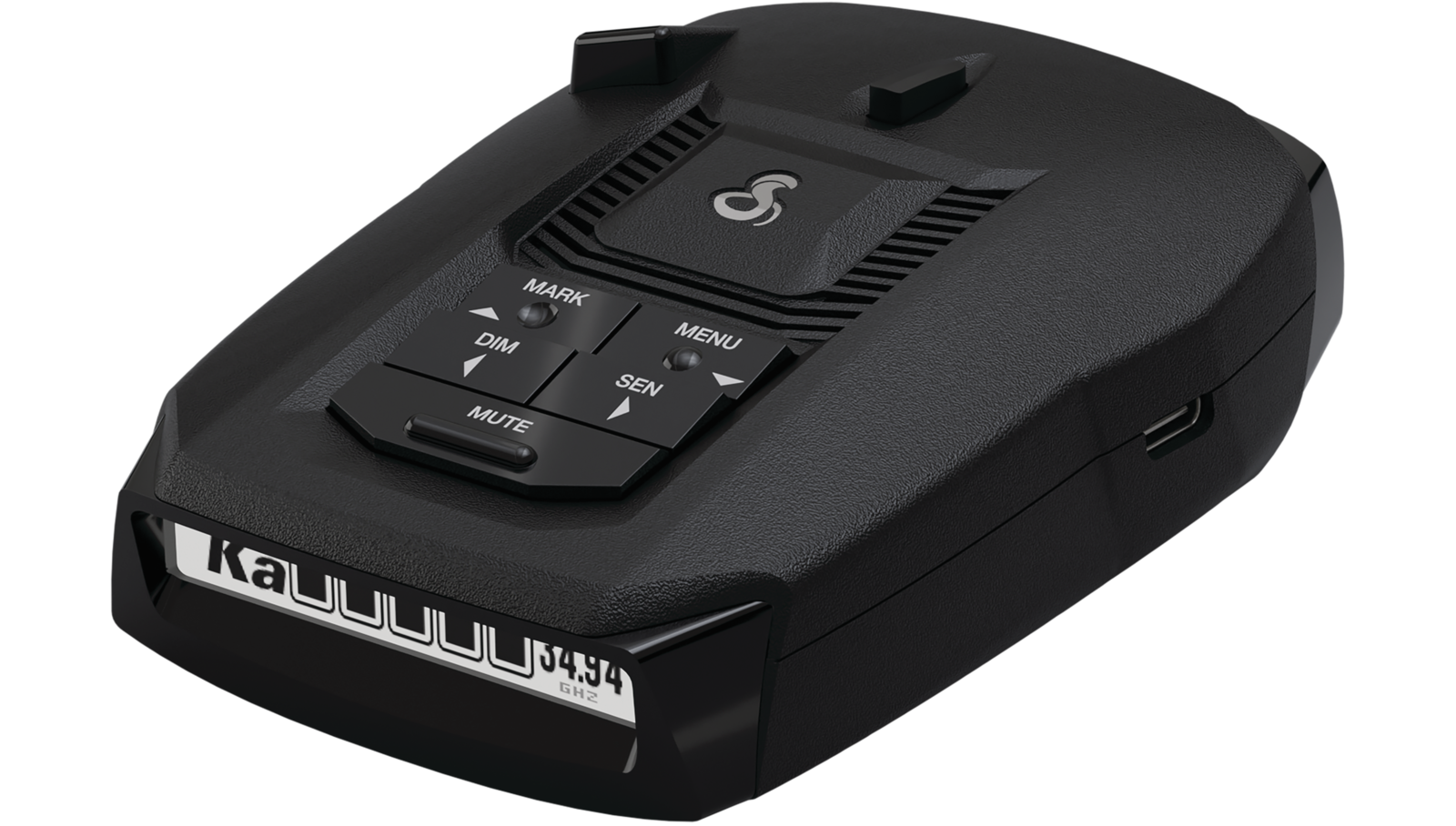 | RAD 490iCongratulations on your purchase of the Cobra RAD 490i! Excellent choice. To get acquainted with it, download the Manual then visit the links below for more helpful information.Configuration & Support |
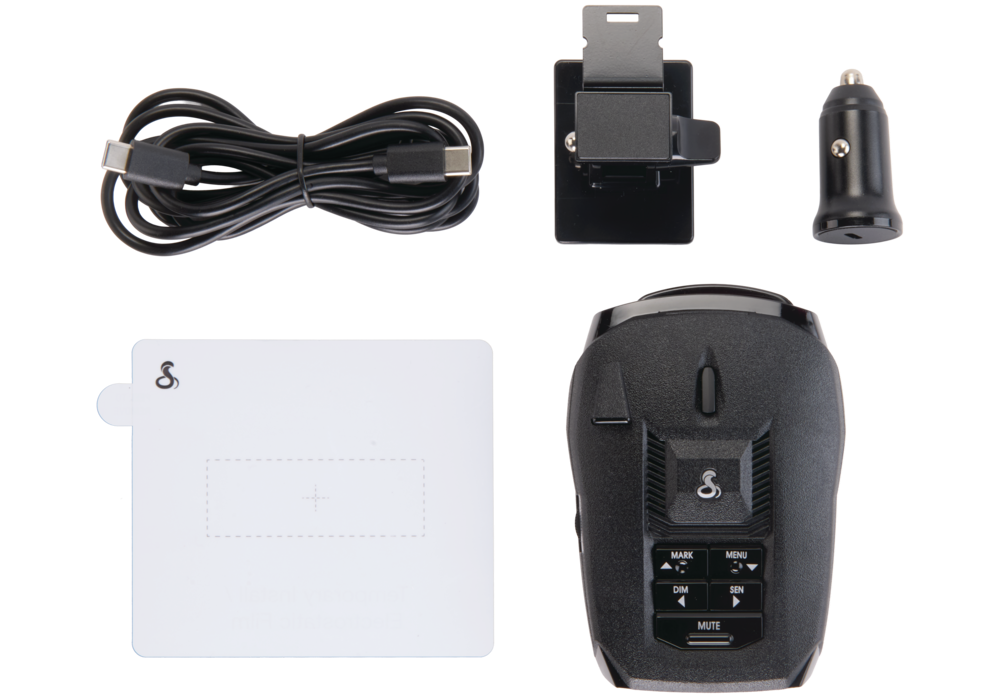 | What's IncludedRadar DetectorPower & Data AccessoriesMounting AccessoriesAccessory Inventory coming soon USB-C power can plug directly into your vehicle's USB-C port or use the included 12VDC CLA to USB-C adapter if your vehicle does not have compatible ports. Please see the compatible accessories section below for other power and mounting options. |
Accessories Available for PurchaseCompatible Accessories PowerCompatible Accessories Mounting |
Features of the Cobra RAD 490i
Your RAD 490i comes with many beneficial features that allow it to alert you with information about threats and other features of your driving experience.
The primary functionality of a radar detector is to detect police band radar, and alert to the presence of that signal when it is present. If the signal is not present, police are either not present, not running radar equipment, or they're running laser/LiDAR and your detector's sensor is not within the radius of the beam.
With the new Low Noise Amplifiers added to the detector, new and improved CAS and CW signal filtering, the new Extreme Mode, and improved speaker, range and response times are better than ever before compared to the RAD 490i!
Radar Detection Frequencies & Laser Detection Bandwidth
The RAD 490i is able to detect the following frequencies of radar and laser/LiDAR. Please see our guide on configuring your radar detector for more information about these technologies.
X-band
- (10.525 GHz ± 25 MHz)
K-band
- (24.100 GHz ± 150 MHz)
Ka-band
- (34.700 GHz ± 1300 MHz)
Laser/LiDAR
- (904nm, 33 MHz Bandwidth)
Sensitivity Modes (SEN Button)
Adjustable sensitivity ensures that your Redline will give you the right information at the touch of a button. There are two sensitivity modes, Highway and Auto, giving you performance that matches your drive.
Low
- Good for city or heavy suburban traffic, highly reduces range or K band
Mid
- Good for suburban driving here buildings may be further from the street and car volumes are moderate, moderately reduces range on K band
High (Recommend)
- Good for suburban driving and local highway driving, slightly reduced K band.
Extreme
- Best for long distance driving on highways, greatly reduces filtering but extends range.
Auto Mode
- Requires a connection to Drive Smarter with location permissions allowed to use this feature
- Uses the phone's built-in GPS to increase sensitivity the faster you drive
- Best for urban, suburban, with some rural or brief highway driving without having to swap sensitivity modes manually
OLED Display
The detector comes with a bright OLED Display giving you a heads-up of what the detector is currently doing.
4 Brightness Levels (DIM Button)
- Bright, Dim, Dimmer
- Dark (for users that want just the audio, no display)
What's Displayed by Default
- Shows if you've enabled Quiet Drive (open speaker icon) or not (crossed-through speaker icon)
- When connected with the Drive Smarter App, the display will provide the local Posted Speed Limit where available.
- Shows the scanning bar, letting you know that the RAD 490i is actively searching for threats.
- Display your current sensitivity level:
- (A) Auto
- (H) High
- (M) Medium
- (L) Low
Audio Features (MUTE Button, Volume Knob, Quiet Drive, Auto Mute)
Audio Alerts are available for Radar, Laser/LiDAR, red light cameras, speed cameras, speed traps, and many other potential threats on the road.
Adjusting the Volume
- Adjust the volume up or down using the numbered knob on the left.
Automatic Muting
- The Auto Mute feature allows the alert to play at full volume, then lowers the volume after 4 seconds.
Manual Muting
- If you'd prefer not to use the Auto Mute feature and would like to manually mute the detector, press the MUTE button on the RAD 490i.
Voice Settings
- Your detector will speak the alerts in English by default. In the settings of your detector. Alerts are available in Spanish by setting the detector's language to Spanish. You can also turn off voice alerts if you prefer not to hear a spoken alert.
Quiet Drive
- Similar to Automatic Muting, audio plays for around 4 seconds then cuts off entirely. This is OFF by default and can be toggled by long pressing the MUTE button until the detector says, "Quiet Drive ON" or "OFF".
Updatable Firmware
With the USB-C power & data interface, you can connect your RAD 490i to a Windows PC or Mac computer, download our complimentary updating software, and ensure that you've got the latest firmware for up-to-date filtering and improvements as they become available.
Drive Smarter Compatibility
Your detector comes equipped with a Bluetooth module that allows it to connect to our Drive Smarter app, which adds features such as Community Radar and Community Alerts, Defender Alerts, Posted Speed Limits where available, Turn-by-Turn Navigation with alerts, and the ability to quickly and easily adjust your radar's settings.