 | BlueBound 150 VHFCongratulations on your purchase of the Cobra BlueBound 150 VHF Handheld Marine Radio! Excellent choice. To get acquainted with it, download the Manual, then visit the links below for more helpful information.Questions & Support |
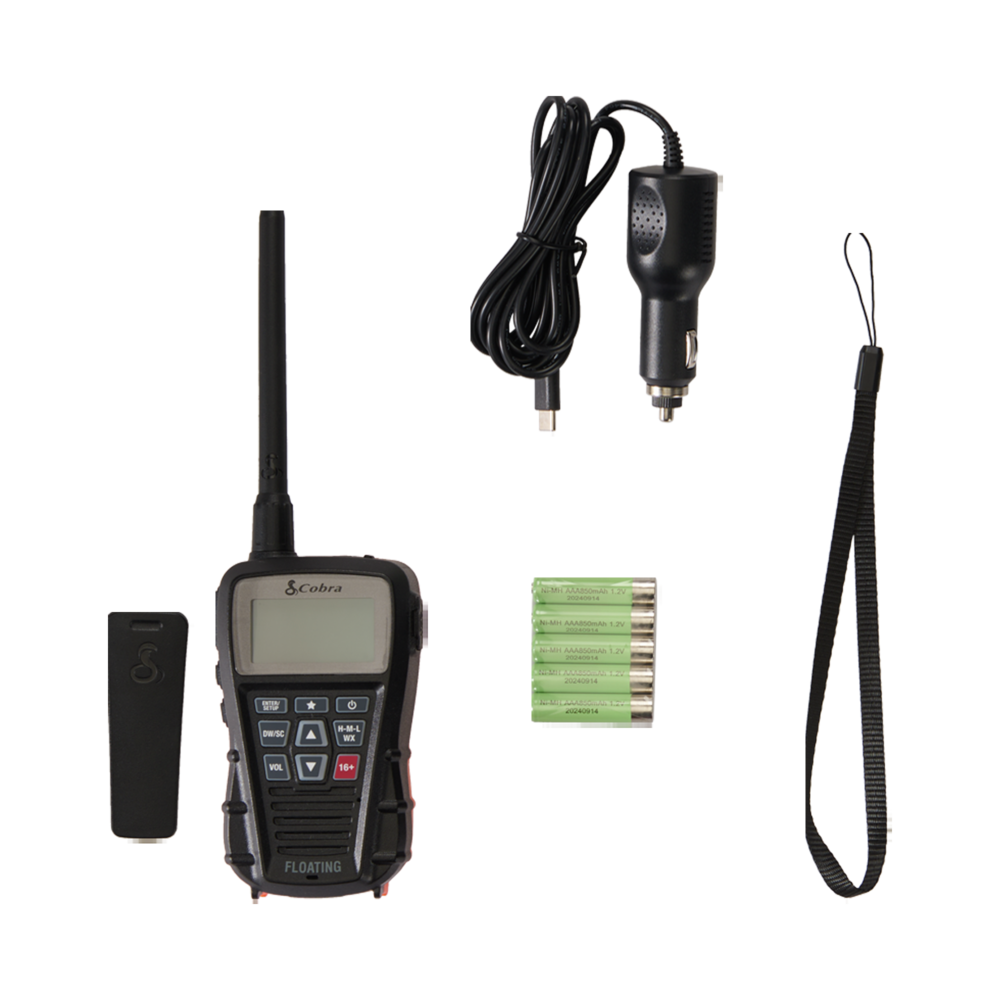 | What's IncludedHandset Radio
Power Accessories
Additional Accessories
|
Shop Marine Radio Accessories (US | CA) | |
Download Manual (English)
This guide will give you step-by-step instructions for getting up and running with your new radio, including going over its special features. See the video above for a full run-down of all the features or see below for help with transmitting your first message.
If you have questions about the radio, consult your manual at the link above, or check our Troubleshooting & Support guides.
Initial Setup & Transmitting
- Make sure that your radio is fully charged before you begin.
- You can charge the included AAA batteries using the provided USB-C cable.
- You can also use your own AAA batteries, either rechargeable or disposable.
- Do not mix battery brands, or types.
- Turn on the radio by pressing and holding the Power key on the front panel for several seconds.
- Choose your channel using the up/down arrow key on the front keypad button cluster.
- In the US, channel 9 is the recreational boater channel, while most others are reserved for professional use.
- In all channel mappings, channel 16 is the distress and safety channel and should be monitored at all times but only transmitted on if you have a genuine emergency.
- Toggle broadcast power between High (3 Watts), Medium (1 Watt), or Low (0.5 Watts) by pressing the H-M-L/WX key repeatedly.
- Vary your wattage based on how far away the receiving radio will be. Start with the lowest wattage and move your way up to the next higher wattage until you can be heard.
- Press the VOL key and use the arrow keys to change the reception volume of the radio.
- To transmit your first message:
- Hold the radio around 2 inches (5cm) from your mouth.
- Press and hold the Push-to-Talk (PTT) Button (the largest button) on the left side of the radio.
- Keep the button held while you talk at a normal volume.
- Release the PTT button when you are done speaking.
If you have questions about the radio, consult your manual at the link above, or check our Troubleshooting & Support guides.